Saving media directly to local device storage allows seamless offline playback without relying on an active internet connection. VidMate HD Video Downloader functions as a tool for capturing clips and audio tracks from numerous online portals, including platforms like YouTube, Facebook, Instagram, and TikTok. Rather than limiting users to a single output standard, it provides flexibility by letting you extract audio separately as an MP3 or select visual formats up to 4K resolution depending on the hosting site.
In-App Navigation and the Download Process
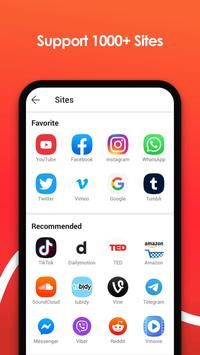
The app organizes source destinations via a dedicated Sites button located in the upper right portion of the main screen. Selecting this opens a tab with shortcuts linking to more than a dozen supported video portals. Once you browse to a specific page and begin viewing media, a red bubble appears in the bottom right corner of the interface. Tapping this bubble brings up the available file parameters, which are determined by the host site’s stream offerings and let you pick your target format and resolution before starting the transfer.
Resolution Formats and Audio Extraction
File outputs can be adapted depending on the intended playback scenario. When visual accompaniment is unnecessary, you can extract only the audio stream into an MP3 file. For standard viewing on mobile screens, clips can be saved in MP4 at 720p or 1080p. On platforms where higher source definitions are hosted, the tool supports downloading files at resolutions reaching up to 4K, which is suited for playback on larger displays.
Playback Controls and Content Restrictions
Inside the settings menu, users can adjust default playback quality alongside a selection of utility modes. A Pop-Up mode enables playback within a floating window, keeping videos running while multitasking across other tasks. Additionally, the settings house an optional Restricted Mode designed to filter out and conceal platforms or videos that feature adult content. This safety filter remains switched off by default, leaving all discoverable media accessible until manually toggled on.









 HappyMod
 Snaptube
 Mi Browser
 Browser TV Web - BrowseHere
 Yandex Browser
 RAR